The Problem
You've got hundreds, maybe even thousands of records cataloged on Discogs. But when it's time to actually dig through your own collection, Discogs isn't built for that. You're scrolling through text lists, clicking into individual releases, opening new tabs just to hear a track or check who sampled what. There's no visual browsing, no quick filtering by style and decade, no way to build a setlist without a spreadsheet. Your collection lives online, but it doesn't work for you.
What CrateView Does
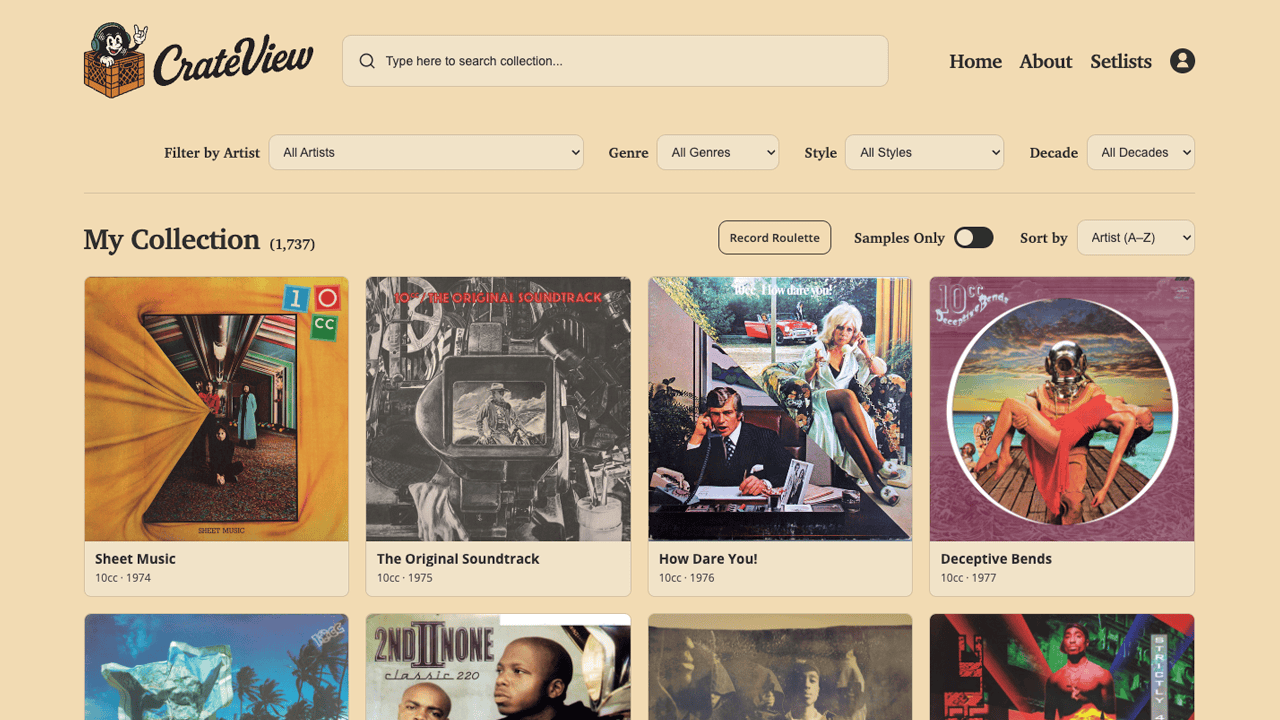
CrateView turns your Discogs collection into a visual, searchable, filterable interface — like flipping through your crates, but faster. It's a WordPress theme that pulls your entire collection from Discogs and presents it as a high-res cover art grid you can browse, search, filter, and explore without ever pulling a record off the shelf.
Features
Collection Browser
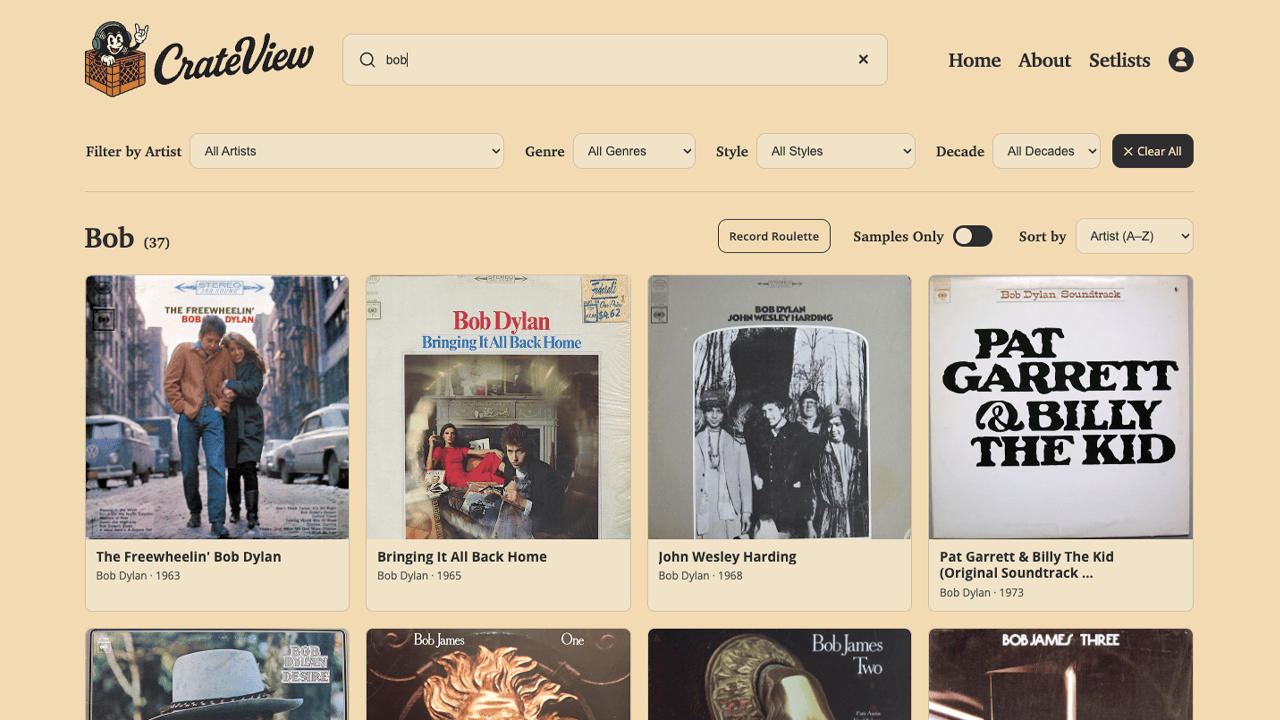
Your full collection displayed as a cover art grid with lazy loading for fast page performance, even with 500+ records. Search is instant — results filter as you type, so typing "Bob" immediately surfaces Bob James, Bob Dylan, Bob Seger, and Bobby Caldwell all at once.
Stacked Filters
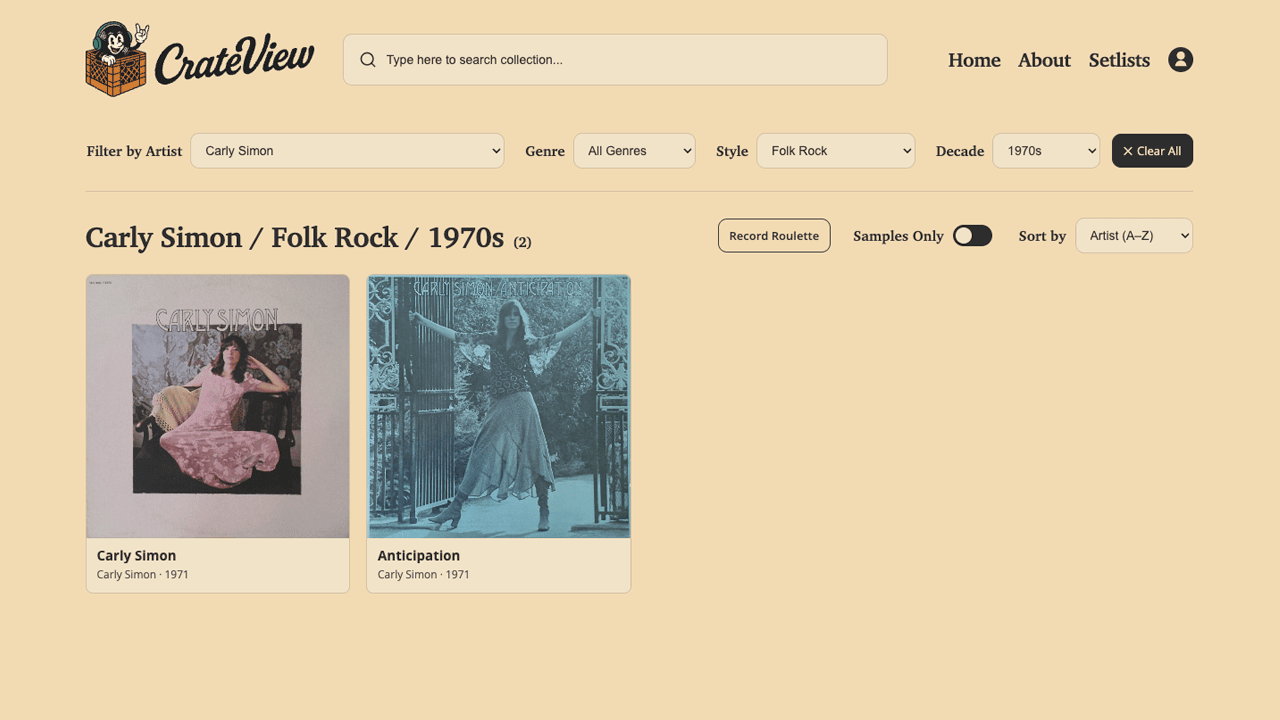
Filter by artist, genre, style, and decade — and stack them. Start with Carly Simon, narrow to Folk Rock, then drill into the 1970s. Or go wide: show me all my R&B, contemporary only, from the '90s. Clear everything with one click and start over.
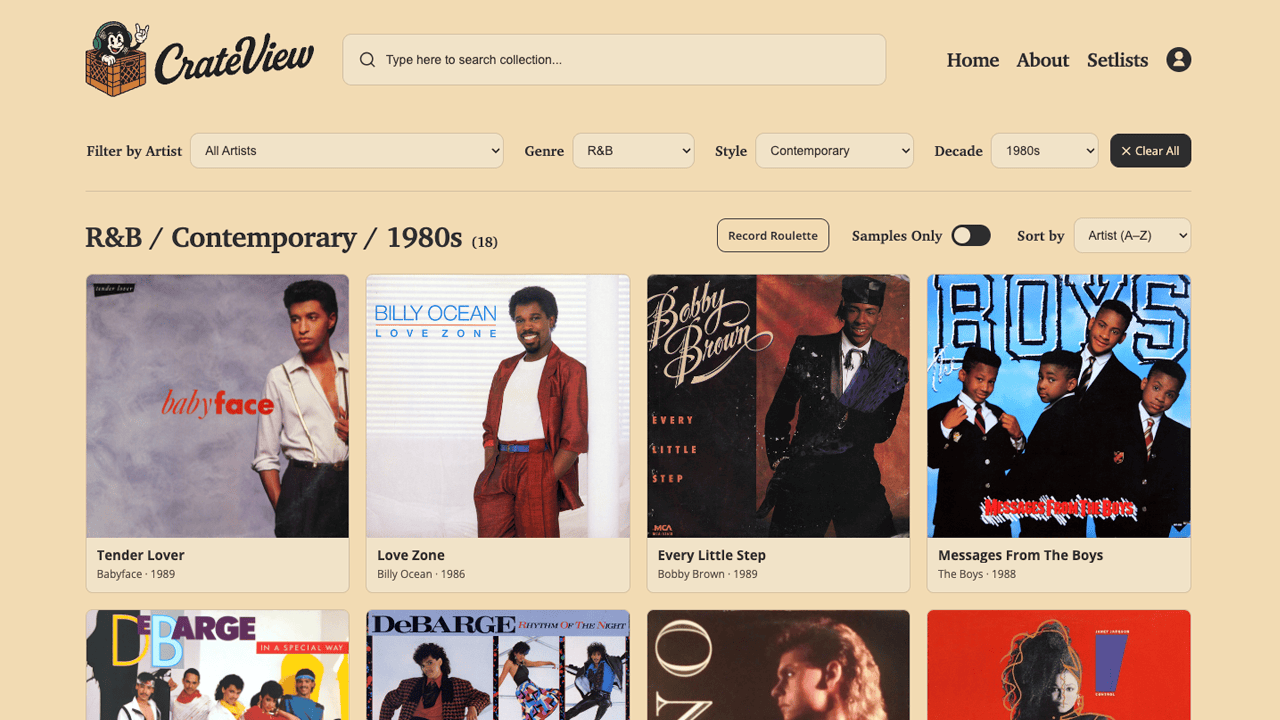
Record Roulette
Not sure what to spin? Hit Record Roulette for a random pull from your collection. Even better — set your filters first and Roulette picks randomly within that selection. Gangsta rap from the '90s? One click, one random album. Great for set prep or just breaking out of a rut.
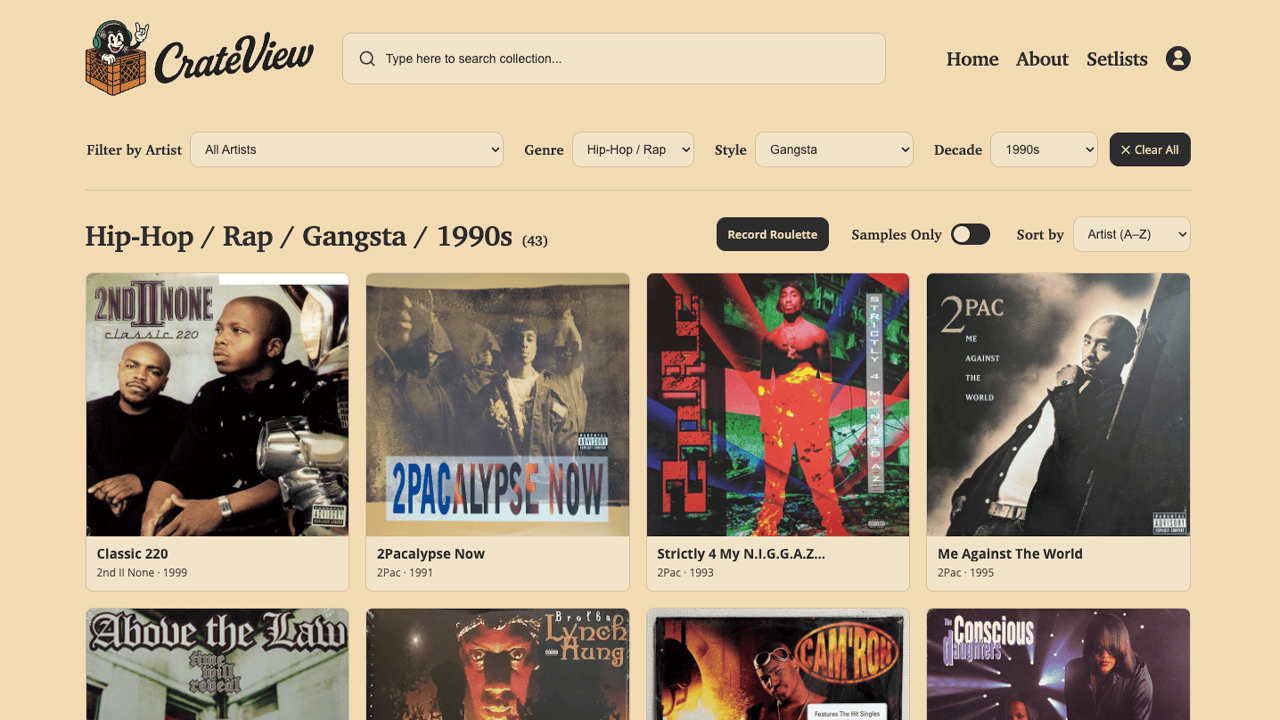
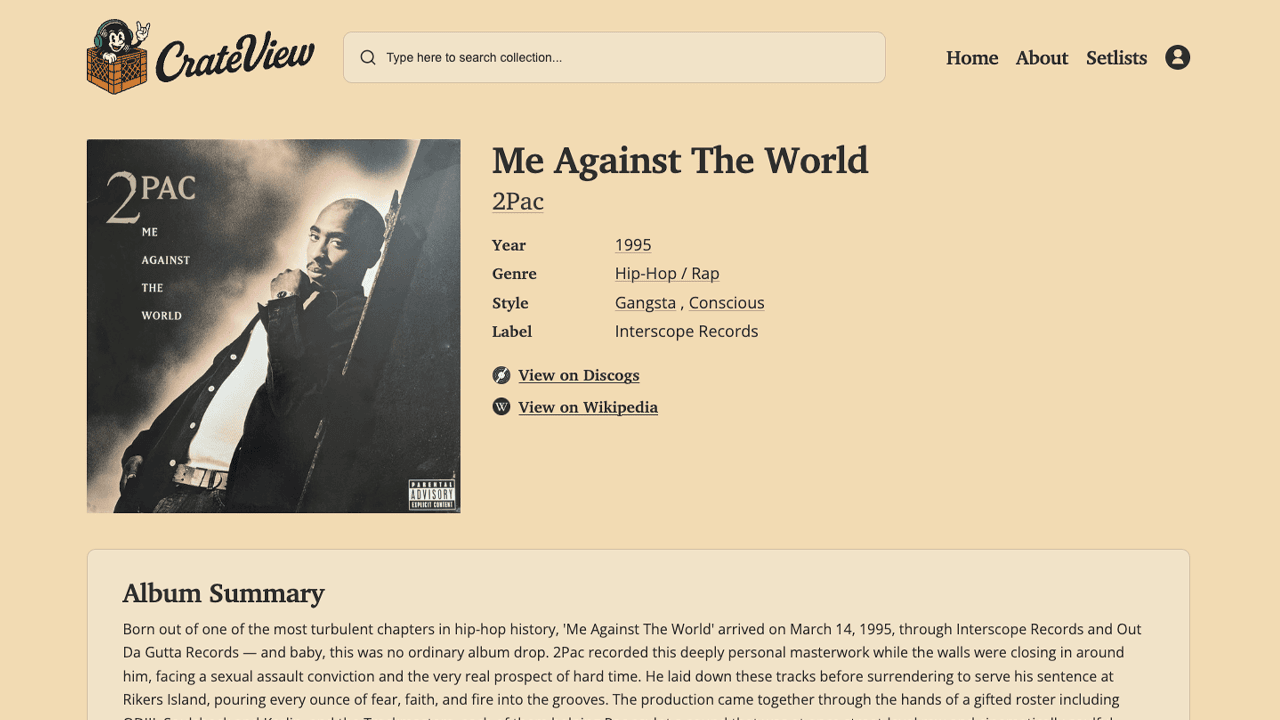
Album Detail Pages
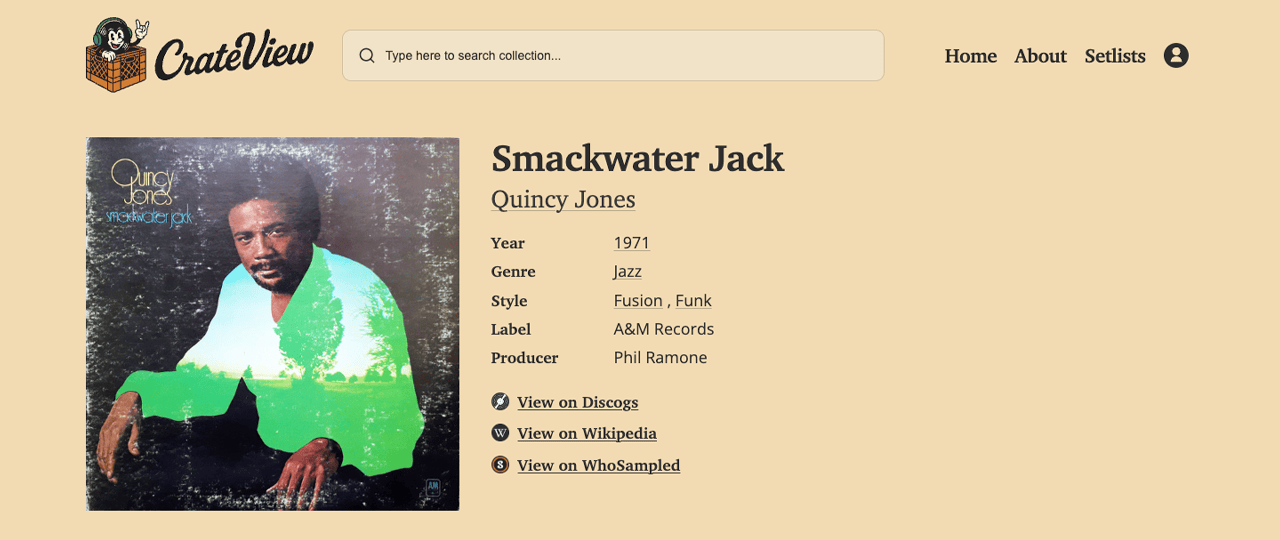
Click any cover and get the full picture: large cover art, artist, year, genre, styles, label, producer, and external links to Discogs, Wikipedia, and WhoSampled. Every piece of metadata is clickable — tap the year to see everything from that decade, tap a style to browse all albums of that style in your collection.
AI-Powered Summaries
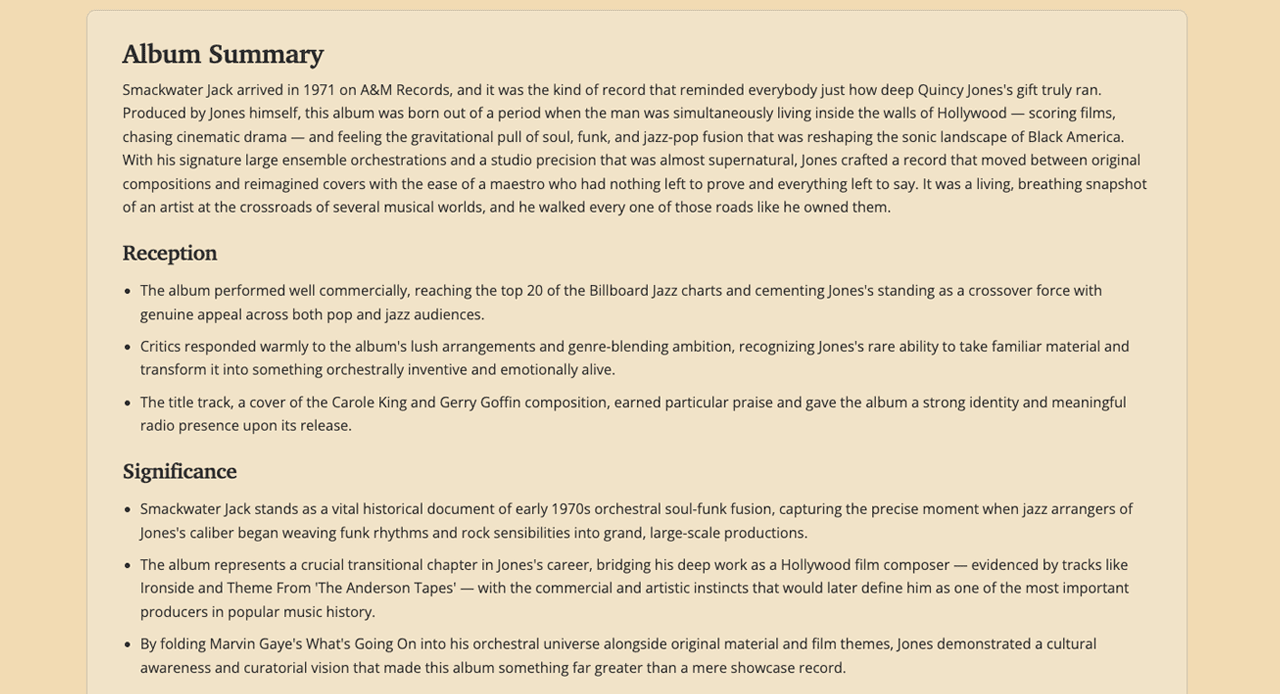
Each album page features an AI-generated summary covering release context, critical reception, cultural significance, and sampling history. No Wikipedia copy-paste — these are written with personality, covering what matters to someone who cares about the music. Artist bios are generated the same way, giving you a quick read on who they are and why they matter.
Sampling History
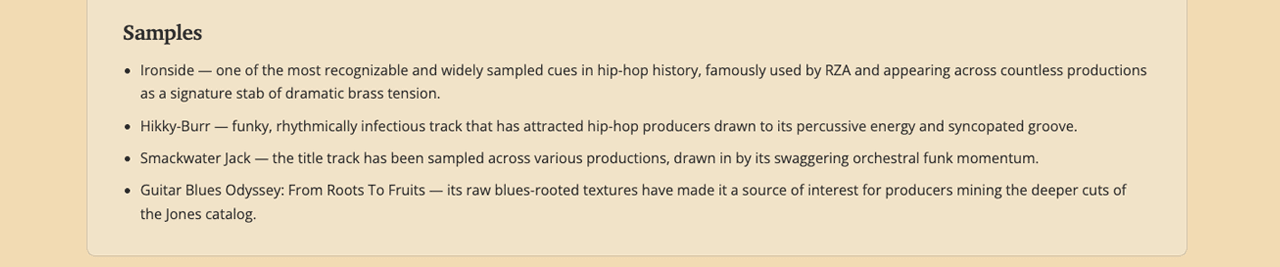
Albums with known sampling connections get flagged with a sample badge on the collection grid. Toggle "Samples Only" to filter your entire collection down to just the records that have been sampled. Each album page links directly to its WhoSampled page so you can trace exactly which tracks were flipped, by whom, and on what song.
Full Tracklist with BPM, Spotify & YouTube
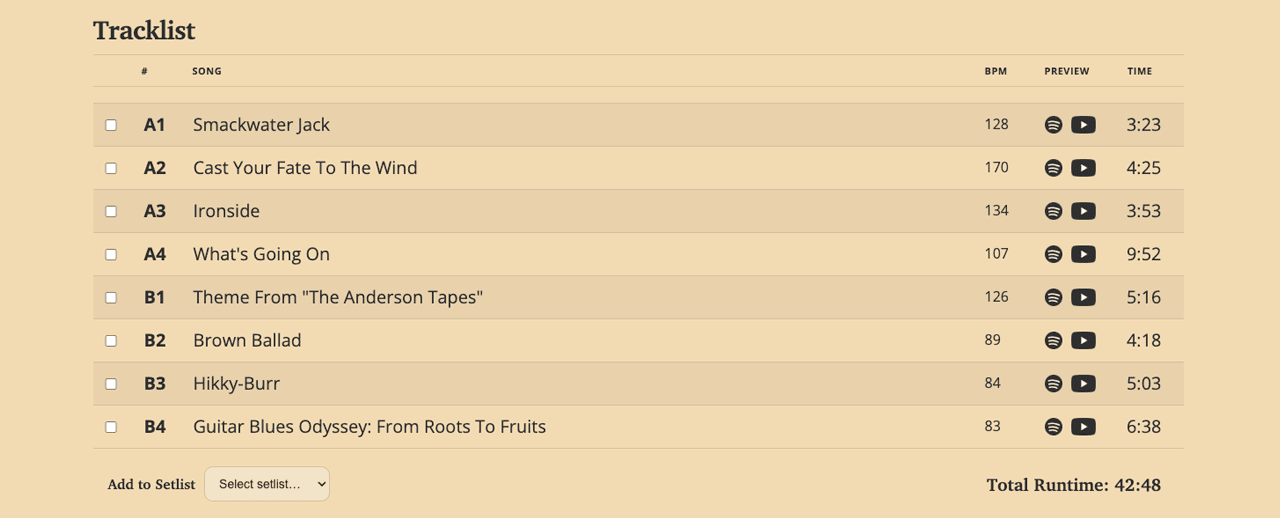
Every album page includes the complete tracklist with per-track BPM (pulled from GetSongBPM), plus direct links to each track on Spotify and YouTube. Duration per track and total album runtime are right there. If you're prepping a set, the BPM column alone is worth the visit.
Setlist Builder
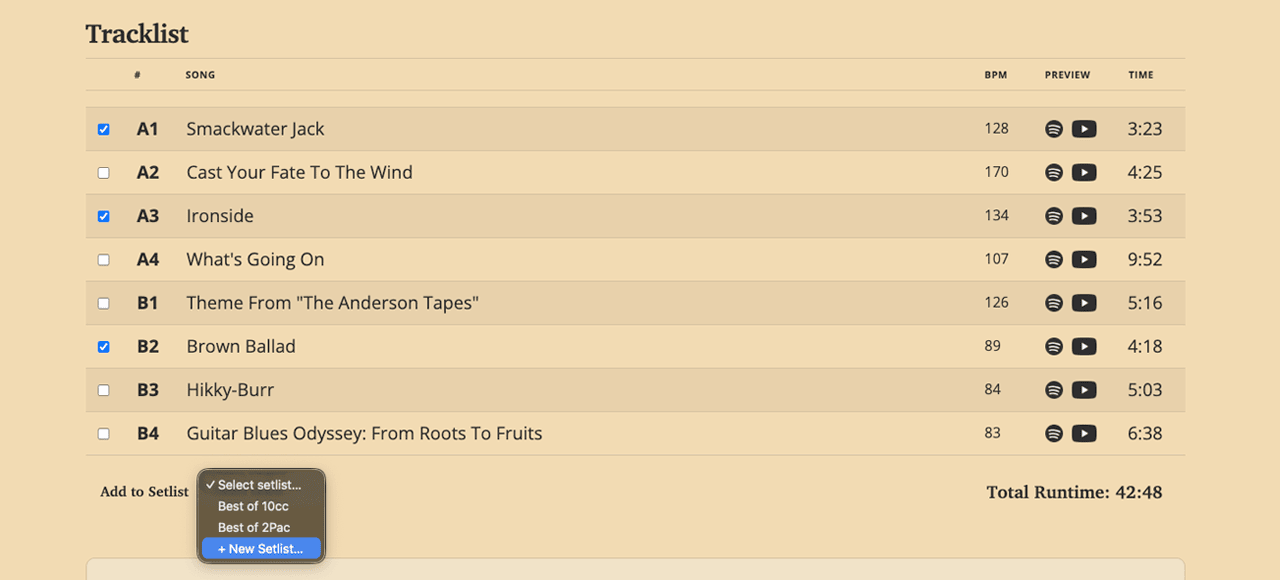
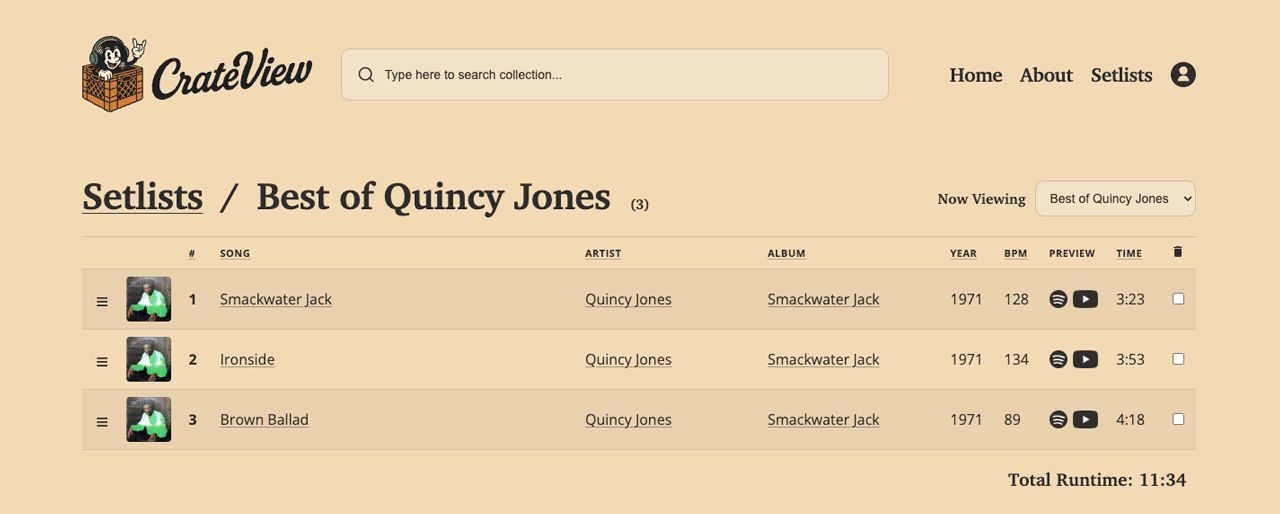
Select songs from any album's tracklist and add them to a new or existing setlist. Each setlist gets its own page with drag-and-drop reordering, sortable columns that can be used to view or save the setlist by the original order or song, artist, album, year, BPM, duration, along with preview links to Spotify and YouTube. Password-protect a setlist if you want to keep it private, or share it publicly.
Complementary Albums & Similar Artists
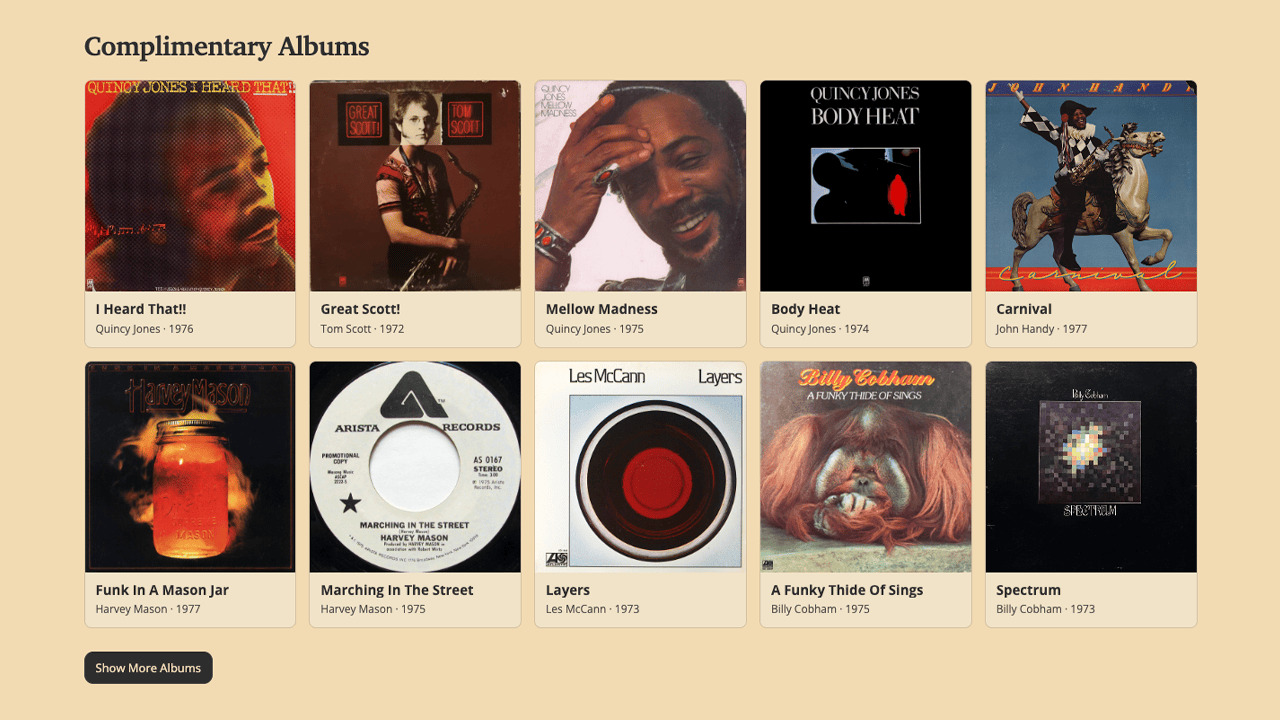
Every album page suggests complementary records from your own collection, matched by decade, genre, and style. Similar artists work the same way — not based on algorithms from some streaming service, but on what's actually in your crates. The setlist pages do this too, suggesting albums that complement the vibe of your playlist.
How It Works in The WP Dashboard
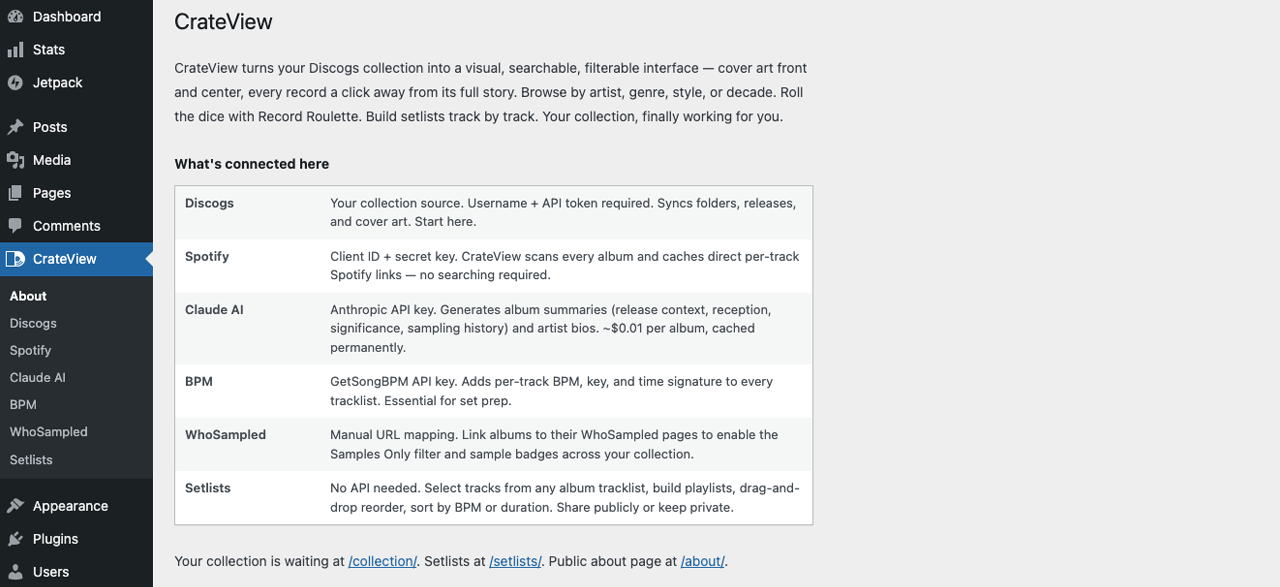
- Connect Discogs — Enter your Discogs username and API token in the dashboard and watch your collection and folders sync automatically. Folders will become your genres.
- Connect Spotify — Add your Spotify client ID and secret key to have CrateView scan your albums and automatically cache the links to each song on Spotify.
- Add your API keys — Anthropic (for AI summaries) and GetSongBPM (for each track's BPM). Both are optional but recommended to get the full experience.
- Pre-warm or browse — Pre-warm your entire collection from the dashboard (AI summaries, BPM, Wikipedia links, discographies — everything cached permanently after one fetch), or let pages populate on first visit.
- Map your samples — Add WhoSampled.com URLs to known sampled albums in the dashboard and quickly search for and filter already mapped albums in seconds.
Under the Hood
WordPress Child Theme
No plugins to manage, no compatibility headaches. Installs in seconds and runs on the default Twenty Twenty-Five WordPress theme as a self-contained child theme.
Flat-File JSON Cache
All API data, including Discogs, Spotify, Wikipedia, MusicBrainz, AI summaries, BPM, is cached as flat JSON files. Each source is hit once per item, and stored on your server forever.
Responsive Front End
The main collection grid, album pages, and setlist pages work flawlessly on desktop, tablet, and mobile devices. The admin dashboard is best used on desktop for obvious reasons.
AI via Claude
Album and artist content is generated by Anthropic's Claude AI. Usage runs ~$0.01 per album and is cached permanently. Free Wikipedia content fetching coming soon.
Who It's For
CrateView is built for vinyl collectors, DJs, and crate diggers who keep their collection on Discogs and want a better way to browse, discover, and build from what they already own. It's not a streaming app or a social platform — it's a personal tool that makes your physical collection work harder for you digitally.